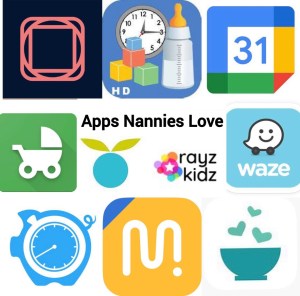
The US Nanny Association (USNA) asked 195 nannies what apps they use to make their jobs more efficient. The results were posted in the January 2024 US Nanny Association newsletter.
The nannies that took the USNA poll answered they use apps for the grocery stores they frequent, the children’s schools, sports, and kid’s activities to make their jobs easier. They also listed the apps below as some of their favorite ways to make their jobs more efficient.
When using apps requiring paid subscriptions for a Nanny, Newborn Care Specialist, Family Assistant, or Household Management job the employers should make the monthly or annual payments.
Below are the results of most used apps used by nannies that took the US Nanny Association poll:

Nannies love the Nanit baby monitor and Nanit app. Parents and nannies can see what is happening in the crib and nursery with stunning clarity via the Nanit app on their cell phones. Click here to see my detailed review of why I love the Nanit baby monitor and app.
Nannies love using the Baby Connect app to share daily information about children with the parents. They can share info about feeding, diapers, sleep, mood, activities, medicines, photos, and more. Several authorized users can be specified for each child: parents, family, and daycare staff. Entries are immediately securely synchronized on each user account.
Parents and nannies can easily exchange messages and photos securely with this app.
Google Calendar helps nannies and parents add events, set goals, track work schedules, meetings, school schedules, sports schedules, and easily share them with several other people. They can color code events, add reminders, and set locations. Nannies like that they can easily share events from Gmail and view to-dos alongside the event.
Baby Tracker! is one of the most practical apps for nannies and parents. It tracks feedings, notes allergies, helps caregivers remember diaper changes, and recognizes sleep patterns. The Milestones section actually lets caregivers write a journal entry and include a photo, while the Health section keeps track of immunizations and doctor visits. The app allows parents to export data to take to doctor visits with them.

Nannies must be reimbursed for gas mileage when using their own vehicle for work purposes. Mile IQ helps nannies track miles by working in the background of a Smartphone, tracking and recording all driving activities. It uses artificial intelligence and machine learning to filter personal and business mileage based on time, day, and other factors. The MileIQ app is available for free download on the App Store and Google Play. After a one-time download and profile set-up, it works like an activity tracker and begins to log drives automatically, or allows for manual entry of travel. The user swipes left or right at the end of each trip to indicate if the trip was for personal or business.nThe free version of the app tracks up to 40 drives per month with a premium feature that allows for more.

The Rayz Kidz app helps parents and nannies share information in real-time so the parents feel like they are with the nanny throughout the day. The Rayz Kidz app makes it super easy to send updates, without bombarding the parents with texts. Rayz Kidz is the all-in-one app for at-home childcare featuring endless skill-based activities and weekly themed content so you can easily foster an environment for learning at home, without all the work! Visit rayzkidz.com to learn more and download the app on the app store or Google Play.

Nannies that want to get where they are going as fast as humanly possible, use Waze. Use the Waze settings to determine if you want to avoid toll roads, if you want to know where there are closed roads, construction, accidents, and so much more. Waze can help you determine the best time to leave for your trip, find cheaper gas prices, find eateries, and parking lots along your journey.

The Hours Tracker app tracks time and earnings for one or more jobs. Nannies can clock in and clock out as they work or enter start and stop times themselves. HoursTracker groups entries by day, week, or month, so nannies can easily see how they spent their time week to week or across jobs. Pay periods are automatically calculated, including overtime and net pay estimates.

Nannies say that Huckleberry is one of the best baby tracking apps. It’s most popular for its “Sweet Spot” function that calculates the best next time for the child to fall asleep based on the number of naps and how long their previous naps lasted. There is also a simple timer to start when infants fall asleep and stop when they wake up. Then there are more options to add as babies age and they sleep in their own crib, when nursing, being held, co-sleeping, and even if they were upset or not. The Huckleberry app also tracks feedings, diaper changes, medications, and more.

Nannies, Family Assistants, and Household Managers that cook or grocery shop for their employers love the Real Plans app. Employers can upload recipes directly from the Web to the app. The Real Plans app automatically creates a shopping list as well. Employers can leave notes on the recipes as well. The Real Plans app helps Nannies, Family Assistants, and Household Managers grocery shop and/or prepare meals for their employers.
Reference:

 bethebestnanny.com
Leave a comment